
Flavorful Rewards as Easy as One, Two, FREE
Eat at QDOBA
Order online or scan your QDOBA Rewards barcode at checkout with the app, or provide your phone number to a team member.

Earn Rewards Points
Earn 1 point per $1 spent.

Enjoy FREE Food
The more you order, the more you earn. It only takes 125 points (160 in Canada) to get a free entrée—the flavor never ends!
Reach For Gold

Gold Status
Order your way to Gold Status and unlock even more exclusive perks!
With 12 visits in a year, you’ll earn Gold Status and enjoy benefits like free birthday entrée reward, surprise mystery offers, and $2 chips and dip - enjoy your choice of queso, guac or salsa every day ($3 in Canada).
Join QDOBA Rewards
Collect Points & Earn FREE Food!*
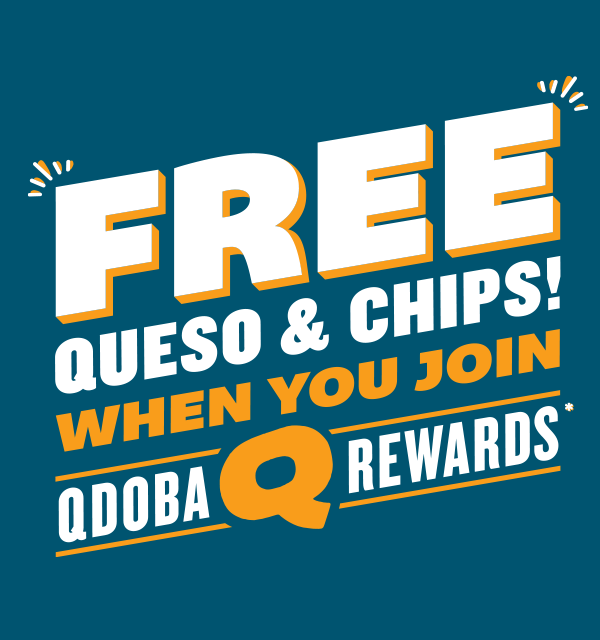
Eat QDOBA and earn free food with every delicious bite! As a member, you'll enjoy exclusive promotions and deals, including free queso and chips just for joining. Plus, you'll stay in the know about exciting new menu items.
Join today and start earning your way to free food and unbeatable perks!
Crave It? The App’s Got It.
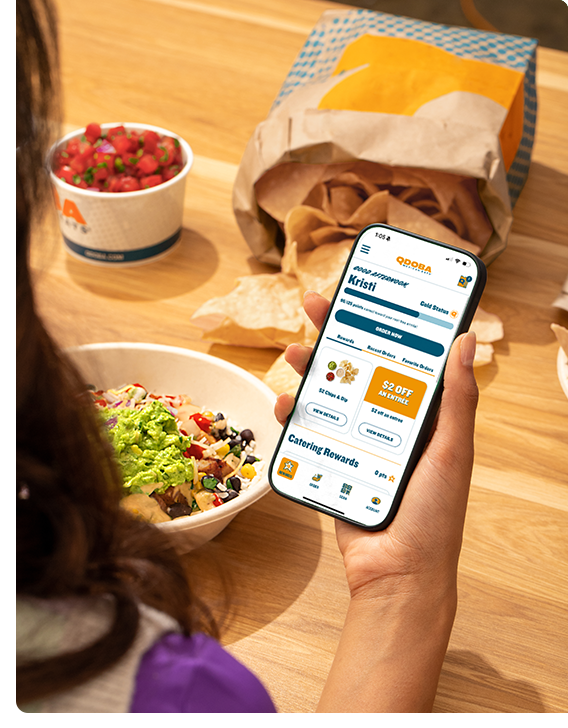
Download the app to get our best pricing, easily customize and order your QDOBA faves, and earn and redeem Rewards.


FORGOT TO SCAN FOR POINTS?
Missed out on your points on your last visit? We get it. Things happen when you’re hungry. In the app, go to the Scan tab and select 'Claim your points' and enter the 23 digit code located at the bottom of your receipt to redeem.
Note for Catering Guests: A 23 digit code will not appear on receipts for Catering Order. If you forget your card and need assistance with receiving points from a catering order, please email a copy of your receipt to [email protected], and we will assist further.
REWARDS FAQs
How do I redeem Rewards for my in-restaurant /online orders?
Your points automatically convert to a Free Entrée Reward once you reach 125 points (160 in Canada). There’s no need to manually redeem points online or in the app for a reward; your Free Entrée will already be in your Rewards wallet to use on your next visit.
Redeeming in-restaurant? Scan your rewards QR code located in the QDOBA app at the register or provide your phone number to the team member and let the cashier know that you would like to use your reward. Make sure you have the app installed and that you are logged into your rewards account. You can download our mobile app for both iPhone and Android phones.
Redeeming online? Make sure you sign-in online before placing your order, add items to your basket and hit “Apply Reward” at checkout to use your reward.
Do Rewards Expire?
An earned Reward, like a Free Entrée, expires after 60 days from the time in which you earned it. But don’t worry, that’s two months to use your well-deserved reward! As a reminder, points that you have earned will remain in your account until they reach 125 (160 for Canada), at which time they will convert automatically into a Free Entrée reward.
How does my status work? How many visits do I need to reach Gold Status and how do I requalify?
QDOBA Rewards members know flavor when they see it and have ordered from QDOBA between 0 and 11 times during the calendar year. Gold Status members know QDOBA inside and out and are experts at crafting the perfect QDOBA experience. Gold Status are our members who have visited at least 12 times within the calendar year.
When you join the program, you become a QDOBA Rewards member! Visit 12 times and you’ll become a Gold Status member! Gold Status get extra perks that may vary throughout the year, including $2 Chips and Dip - enjoy your choice of queso, guac, or salsa ($3 Chips and Dip in Canada) or other great perks and special opportunities to earn additional bonuses throughout the year. When you reach 12 visits, you qualify for Gold Status for the rest of the calendar year, plus the next year. Visit 12 times in 2026 and you’ll keep your Gold Status through 2027!
Can I still earn points if I forget to scan in-restaurant?
Yes! Just make sure to save your receipt which has the QDOBA Rewards code or “claim ID” at the bottom. Then, log into your account in the QDOBA app, navigate to the “SCAN” tab, and tap on “Claim your points.” Then enter the code located at the bottom of your receipt.
How can I access my Account and Points?
Log In to your Existing Account on the rewards page at Qdoba.com/rewards. Or you can log into your account through our app!
I'm a Gold Status member, where can I find my $2 Chips and Dip ($3 in CA), and how do I use this reward?
Congratulations on reaching Gold Status! $2 Chips and Dip ($3 in CA) is one of several perks that may be offered to Gold Status members throughout the year! To redeem, order chips with your choice of queso, guac or salsa and then use your $2 Chips and Dip ($3 in CA) reward located in your Rewards Wallet for your account. Simply apply the Reward to your cart, if you are ordering online, or let your Cashier know that you want to use it! When offered, you can use this Reward once per transaction, the entire year you qualify as Gold Status! Please note that Gold Status benefits may vary and are subject to change throughout the year.
What is the birthday reward for being in the QDOBA Rewards program?
We love birthdays and want to celebrate with you! If you are a QDOBA Rewards member, you receive free queso and chips as your birthday reward while Gold Status receive a free entrée.
How does the sign-up reward of free queso and chips work?
Just for joining the QDOBA Rewards program, we reward you with free queso and chips with purchase of an entrée. This reward applies to new members only and expires 60 days from the date it was earned.
*Offer valid for one (1) free order of chips and queso with your first purchase of a full-sized entrée as a Rewards member. New Rewards members only. The offer is loaded to member’s Rewards account and expires 60 days from date earned. Valid on QDOBA.com, in the QDOBA App and in restaurant. Participating QDOBA locations in US and CA only. Not valid on catering. Not available on orders placed on third-party delivery platforms. Cannot be combined with any other offer. Tax not included. No coupon necessary. QDOBA Rewards Terms & Conditions apply. No cash value. While supplies last. ©2026 Qdoba Restaurant Corporation.